

01
Connect templates and rules.
Word, Excel, policies, SOPs, process and system context form the controlled source space.
Use cases · included in traqx
You connect your Word and Excel templates with your policies, standard operating procedures (SOPs) and project sources. traqx prepares reviewable GxP documents with AI for your concrete work cases—without add-on modules or module surcharges.
No obligation · personal · straight in the calendar

One core principle · every work case
Every use case starts with your template and your context. traqx prepares the work state in the document. The accountable expert reviews, corrects and decides.
01
Word, Excel, policies, SOPs, process and system context form the controlled source space.
02
Research, drafting, updating and source references arise directly on the work object.
03
Changes, sources, open points and review status remain visible to the expert.
Use case navigator
Every use case is included in traqx. Each detail page explains inputs, what traqx prepares from them, who reviews it and where traqx stops.
Computer system validation
Prepare and consistently update validation documents from the system context and applicable rules.
Controlled documents (SOPs, policies)
Transfer new or changed rules into the existing document structure—with visible changes and sources.
Inspection readiness
Turn audit scope and internal rules into an evidence-backed basis for preparation and responses.
GxP change
Assess the proposed change against system, process and document context and prepare the change record.
Deviations and actions
Turn the deviation, process context and applicable SOPs into a consistent CAPA work state.
Also included in traqx: Equipment qualification · Supplier Assessment · IT infrastructure qualification
Further specialised use cases: Process validation / CPV · Cleanroom / Annex 1 — The detail pages show inputs, the prepared work state, review responsibility and the product boundary.
CHECK EXISTING DOCUMENTS
traqx checks an existing document against the regulations, internal requirements and warning letters that you release as sources for that case. Deviations are marked with their exact reference. Assessment and changes stay with your experts.
No obligation · personal · straight in the calendar
Practice and product evidence
The product view shows how templates, sources, changes and open points stay connected in the document.
General CSV practice evidence: Dr. Philipp Cavelius shows how traqx is used in the CSV consulting team. The case is general practice evidence for CSV document work—not a customer case study or outcome evidence for every use case.
View the practice case and product dossiers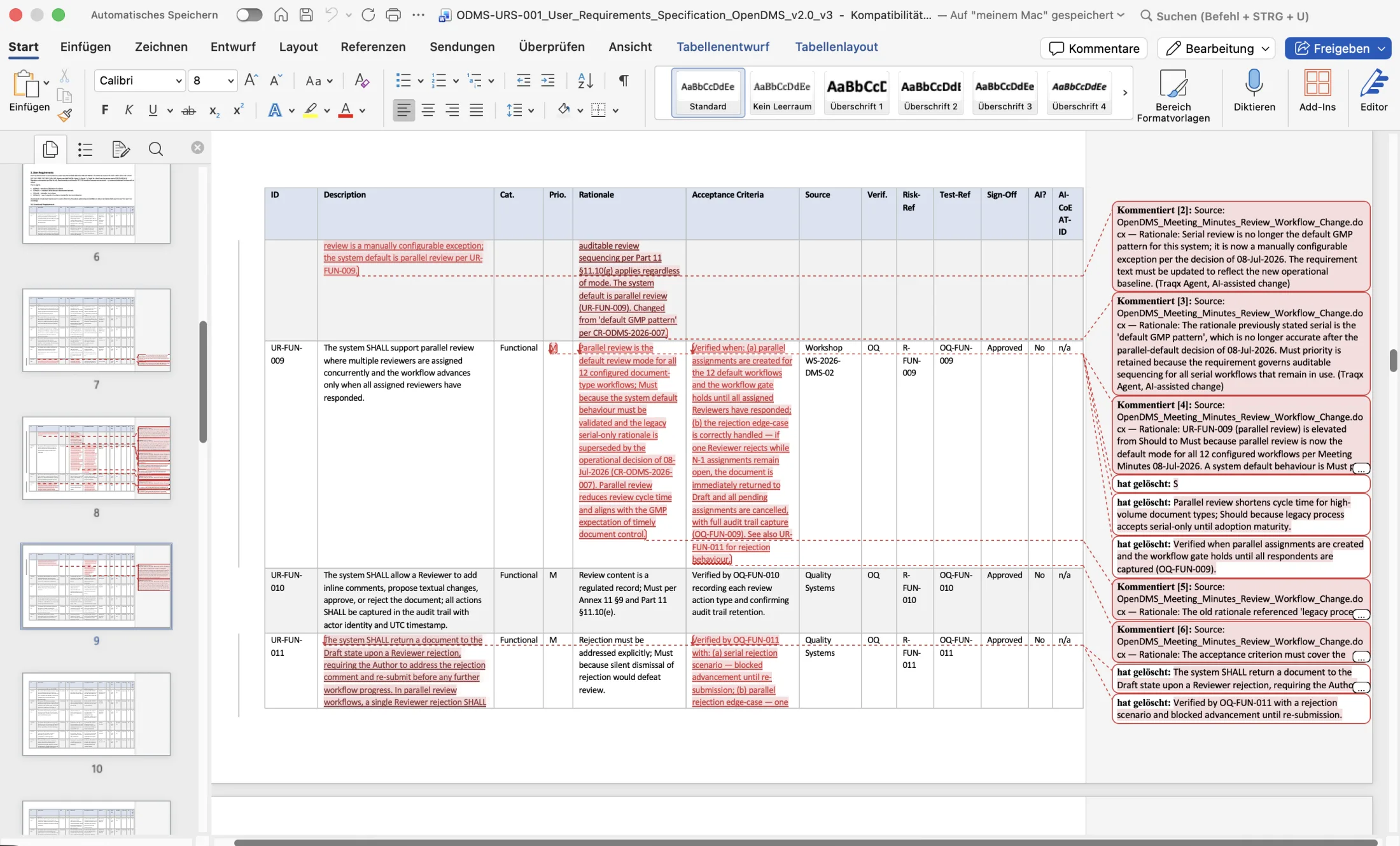
The key objections
One product, existing templates and clear professional accountability.
No. The listed document use cases are included in traqx; there is no module surcharge.
No. The work case starts with your existing templates, SOPs, policies and project sources.
No. traqx prepares the document work. Formal review and approval steps remain in the accountable process and the leading system.
Your accountable experts review, correct and decide. Sources, changes and open points stay visible.
ONE PRODUCT · YOUR FIRST USE CASE
In the personal live demo you see the document workflow on your own case: your document, its governing SOP or policy and the concrete task. The entry point is a 15-minute call — booked directly in the calendar.
No obligation · personal · straight in the calendar