
traqx

FEATURE · ADMINISTRATION

Usage and organisation.
Transparent inside the workspace.

Whoever owns a budget wants to know where it stands. traqx shows usage and quota directly in the system — down to the single working session — and gives the organisation an overview of workspaces, users and artifacts.

Book your personal live demo 

No obligation · personal · straight in the calendar
View all features →
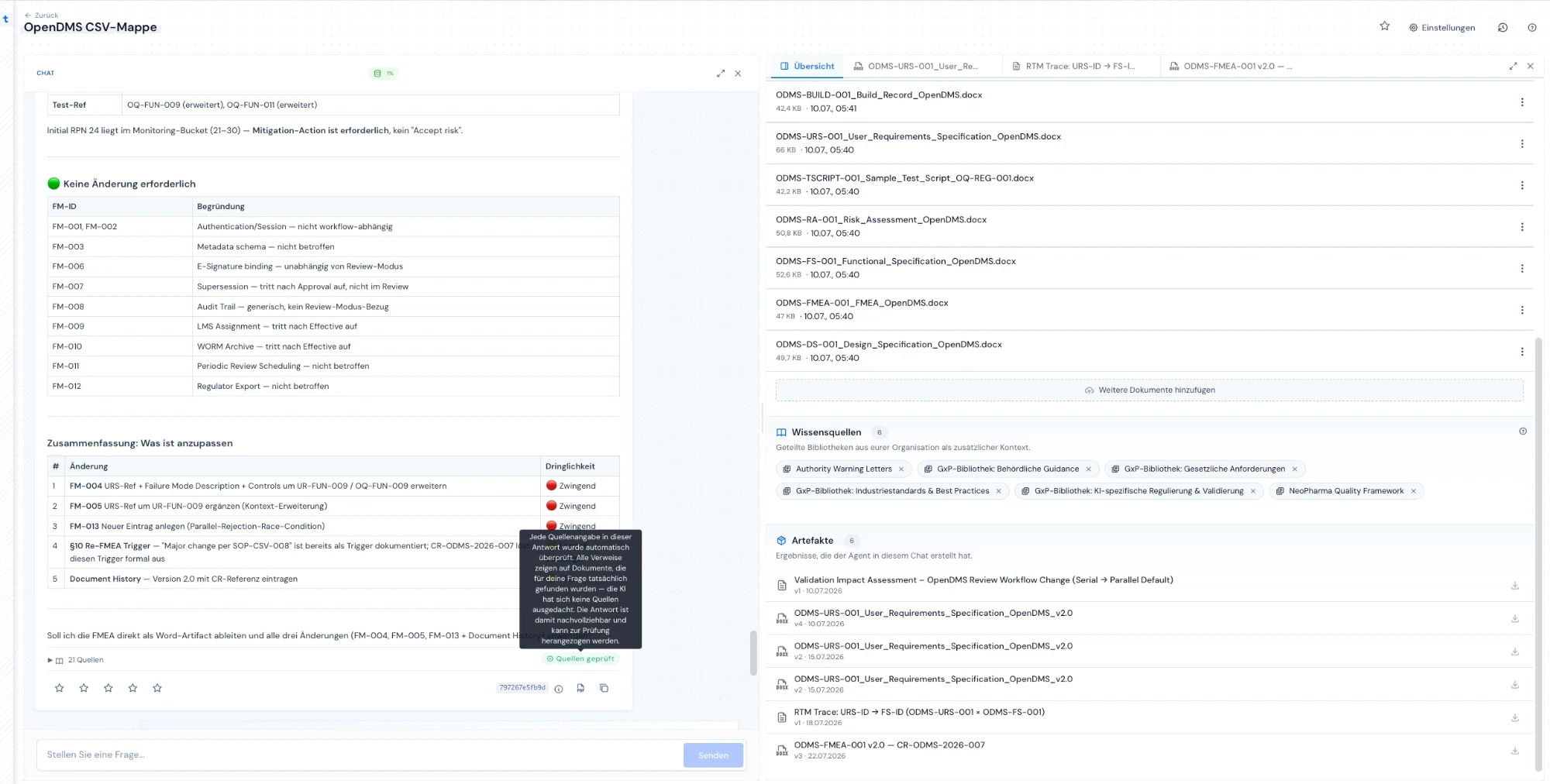
traqx binder with artifact overview and usage badge in the chat — synthetic demo project

WHAT YOU GET

Budget certainty is part of the premium claim — no surprises.

  • Usage visible
    The quota sits right next to the work — during a session, not on the invoice.
  • Organisation in view
    Workspaces, users and created artifacts at a glance — who works on what, what has been produced.
  • Plannable instead of capped
    Quotas make usage plannable; when demand grows, the package grows — discussed transparently, never billed silently.

THE PROBLEM

AI costs nobody sees coming.

Why usage transparency in AI systems is not a nice-to-have.

Blind until the invoice

Usage only shows at month-end — when the budget has already spoken.

Excel next to the system

Usage and user lists are maintained by hand because the tool does not show them.

Unclear work record

What was actually produced? Without an artifact overview, the benefit stays a claim.

Budget questions block the start

Without plannable quotas, every AI introduction becomes a cost debate.

THE SOLUTION

Usage where the work happens.

Transparency from the session to the organisation.

  1. 01See it in the session.

    The quota status is live at the work — no blind flying.

  2. 02Account for it in the workspace.

    Artifacts, versions, activity — the work record grows on the side.

  3. 03Plan it in the organisation.

    Usage across all workspaces as the basis for the right package.

  4. 04Extend it transparently.

    Quota extensions are discussed, not silently billed.

HOW IT WORKS
From a single chat to the organisation — one usage logic.

01 · SESSIONUsage right at the work

The chat itself shows the session quota. Your team sees consumption where it happens — not in a monthly report.
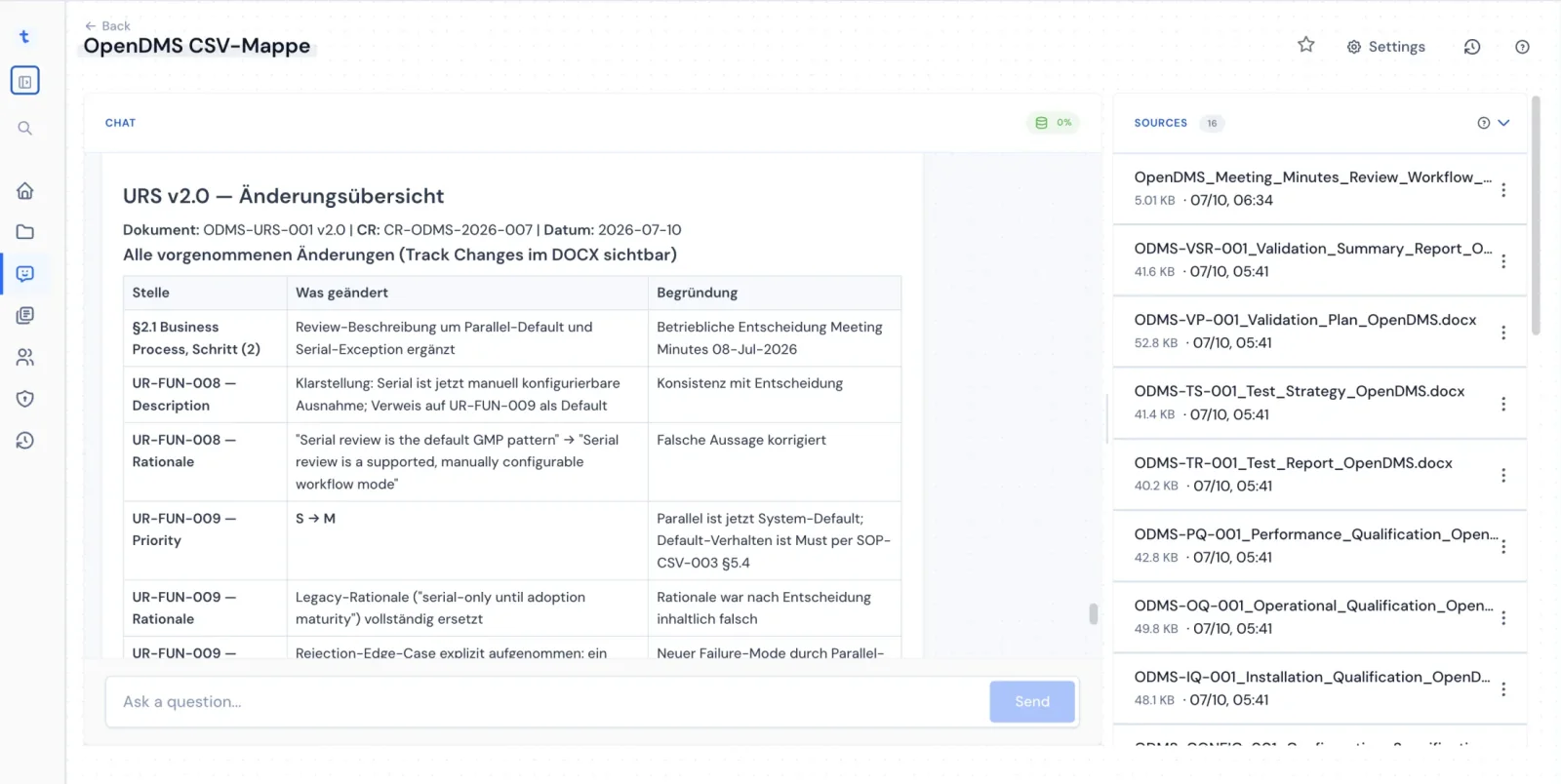
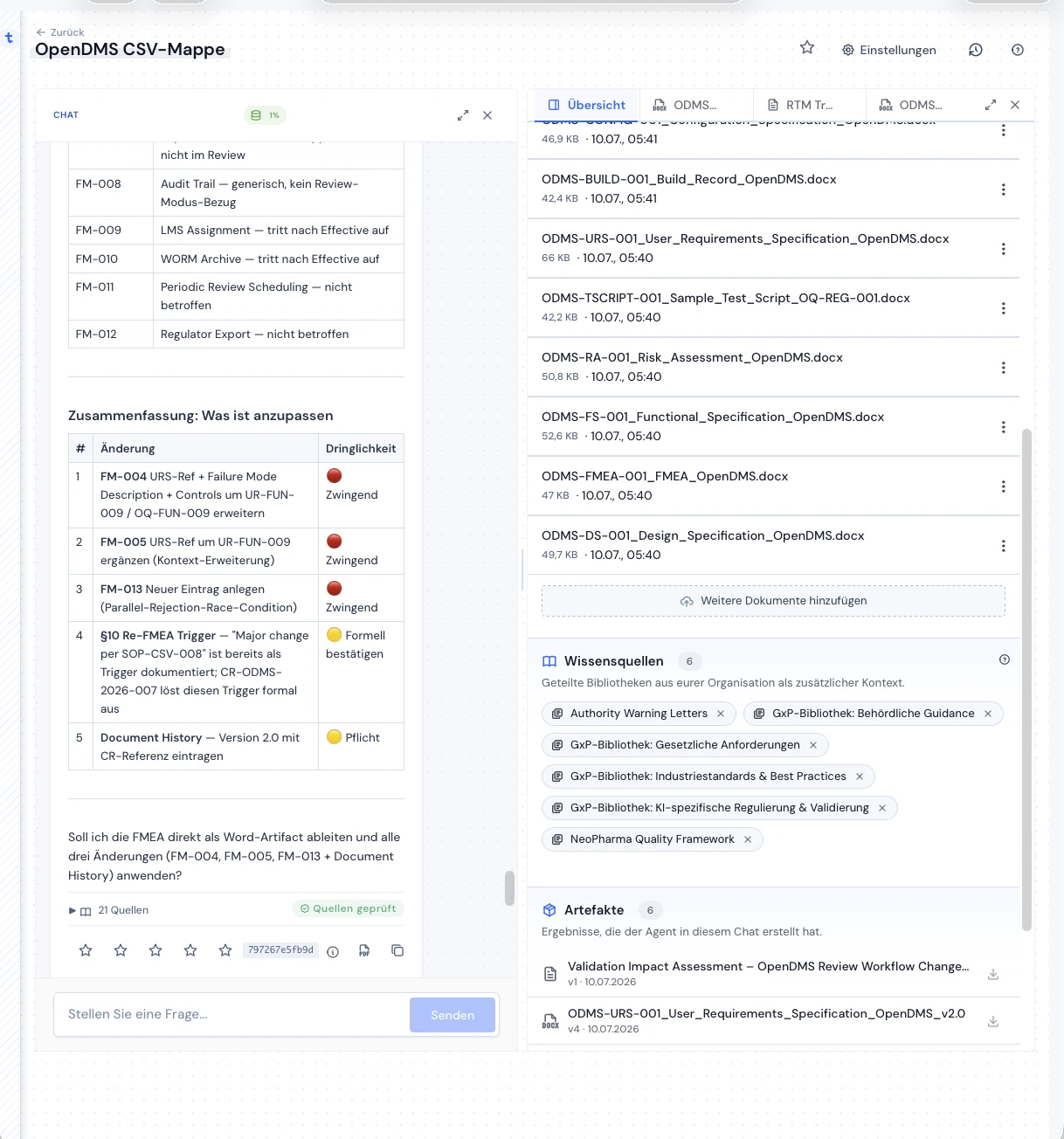
Usage badge in the traqx chat next to the binder — synthetic demo project

02 · WORKSPACEArtifacts and activity per workspace

Every workspace lists its source documents, knowledge sources and created artifacts with version and date — your team’s work record, with no extra upkeep.
Working view in traqx with artifact list and versions — synthetic demo project

03 · ORGANISATIONQuota and users in the big picture

At organisation level, owners see usage and quota across all workspaces — the basis for sizing packages to real demand.
Change overview of a Word document from traqx

FAQ

Common questions about this feature

Do we see usage before the invoice arrives?

Yes — the quota status lives inside the system, down to the single working session. Surprises on the invoice are not the traqx Premium model.

What happens when our quota is used up?

Then we discuss the extension — transparently and in advance. Technical usage quotas and their extension are contractually defined; it never gets silently more expensive.

Do we also see what has been produced?

Yes — every workspace lists the created artifacts with version and date. What your team has built with traqx stays visible.

ON YOUR OWN CASE

See what your team gets done with traqx.

In the personal live demo we show the usage and organisation view on a real workspace.

Book your personal live demo 

No obligation · personal · straight in the calendar

More features: All features →