

Copy-paste transfer
Moving results from the tool into the template — by hand, every time, with an error risk every time.
FEATURE · WORD & TEMPLATES
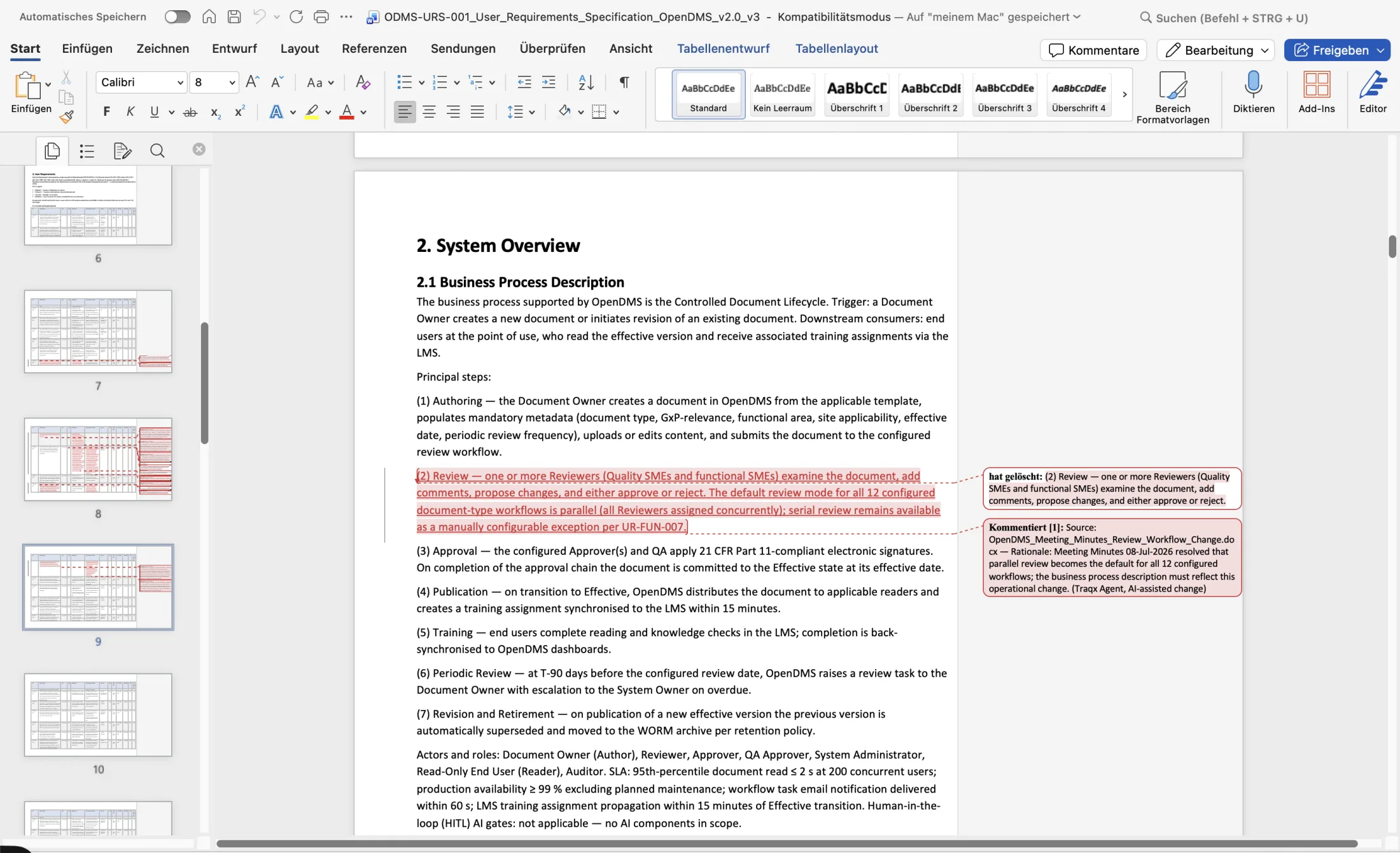
A new format adds coordination and transfer effort to your review. traqx updates existing documents in your templates — tracked changes, source and rationale comments, maintained history. Your reviewer stays in Word.
No obligation · personal · straight in the calendar
WHAT YOU GAIN
THE PROBLEM
It is not the licence that costs you — the format break is the real cost driver.
Moving results from the tool into the template — by hand, every time, with an error risk every time.
Reviewers are suddenly expected to check work in an unfamiliar interface.
Version history and change trail stay behind in the tool — not with the document.
Every manual transfer is an avoidable audit finding waiting to happen.
THE SOLUTION
traqx adapts to your document — not the other way round.
Your Word or Excel template is linked to the SOPs and policies that govern it.
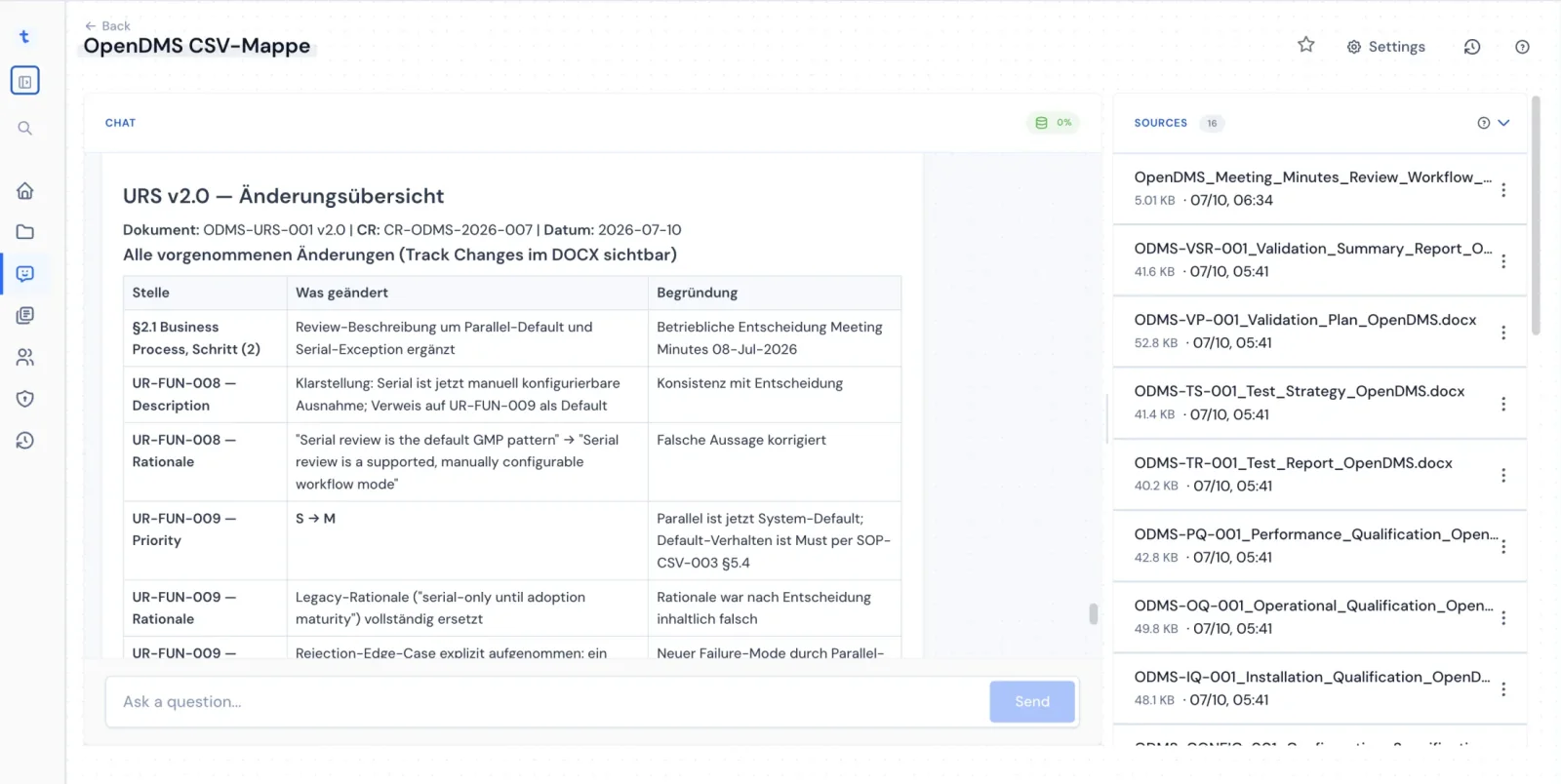
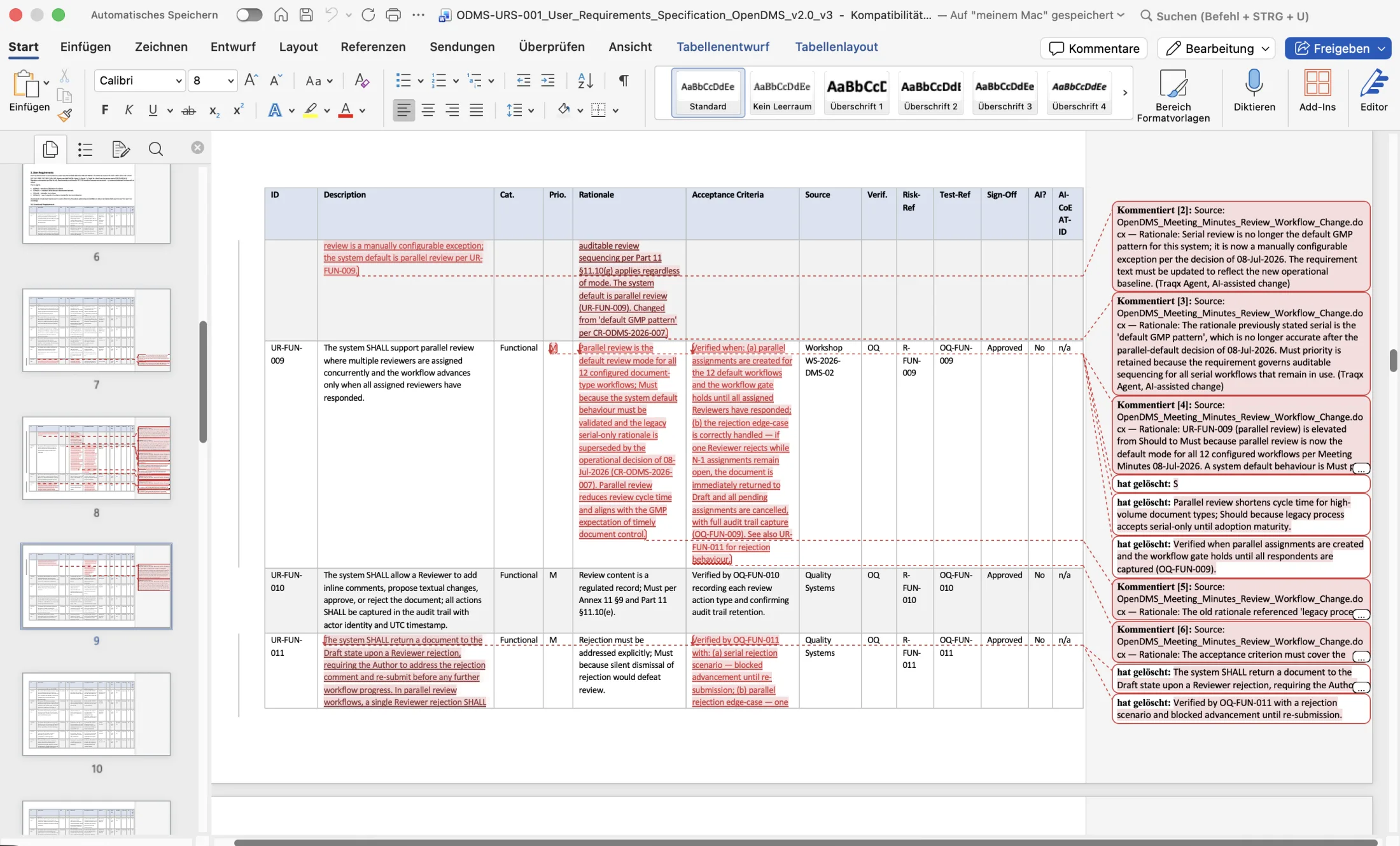
traqx updates the existing document — it never replaces it.
Every delta is tracked; every change is annotated with its source and rationale.
The result moves on into your approval process — full history included.
HOW IT WORKS
FAQ
Yes. traqx updates the existing file inside the company template; structure and formatting are preserved. The result is a .docx with tracked changes.
Yes — the Word file and its change state can be viewed directly in traqx, including comments and status.
Excel templates can also be connected to the governing SOPs and policies and used for prepared work.
ON YOUR OWN CASE
In your personal live demo, we define the document type and sources. After activation, you evaluate one concrete change on your own template — with the result in Word.
No obligation · personal · straight in the calendar