
traqx

FEATURE · ADMINISTRATION

Users, roles, workspaces.
Managed in minutes, not tickets.

traqx manages itself without an IT project: you invite users by e-mail, assign them to workspaces and use roles to control who creates, reviews or only reads. Licences are personal — cleanly attributable instead of shared logins.

Book your personal live demo 

No obligation · personal · straight in the calendar
View all features →
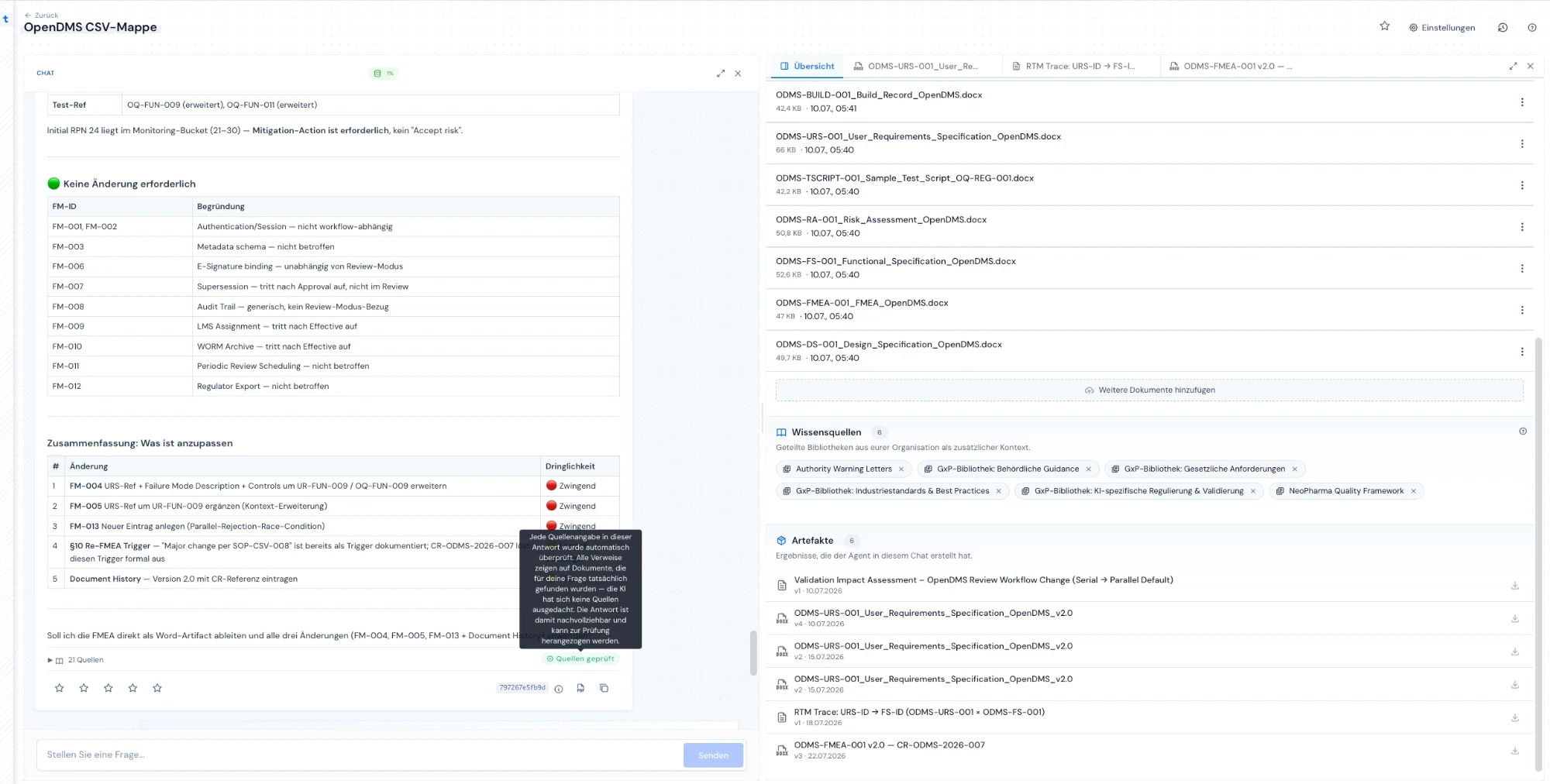
Working view in traqx: chat and workspace binder — synthetic demo project

WHAT YOU GET

Administration a small quality team handles on the side.

  • Invite instead of set up
    New users join by e-mail invitation — no IT ticket, no setup project.
  • Workspaces cut to your structure
    Work organises itself flexibly in workspaces — per project, process or client, however your organisation works.
  • Rights through roles
    Granular role management controls who creates, reviews or reads — matching responsibility in the quality process.

THE PROBLEM

Administration eats the time quality teams lack.

Small teams lose time at the edges of the work — not in the work itself.

Access as an IT ticket

Every new user becomes a process: ticket, waiting, chasing.

Shared logins

Collective accounts make activity unattributable — the opposite of traceability.

Rights sprawl

Without a role model, everyone ends up with everything — or nobody with the right thing.

Structure does not fit

Rigid systems force your projects into foreign ordering logic instead of the other way round.

THE SOLUTION

Invite, assign, control — done.

Administration in traqx follows your organisation, not the other way round.

  1. 01Invite by e-mail.

    New users are working within minutes — with a personal, attributable login.

  2. 02Cut workspaces.

    Project, process or client: the workspace cut follows your structure.

  3. 03Assign roles.

    Create, review, manage, read — rights along quality responsibility.

  4. 04Keep usage in view.

    The usage and quota overview shows where your team stands — no Excel on the side.

HOW IT WORKS
From invited user to clear responsibility — without an admin project.

01 · INVITEUsers join by e-mail

You invite colleagues with their e-mail address. Licences are personal (named users) — every activity stays attributable to a person; shared logins do not exist.
Working view in traqx with chat and binder — synthetic demo project

02 · ORGANISEWorkspaces mirror your structure

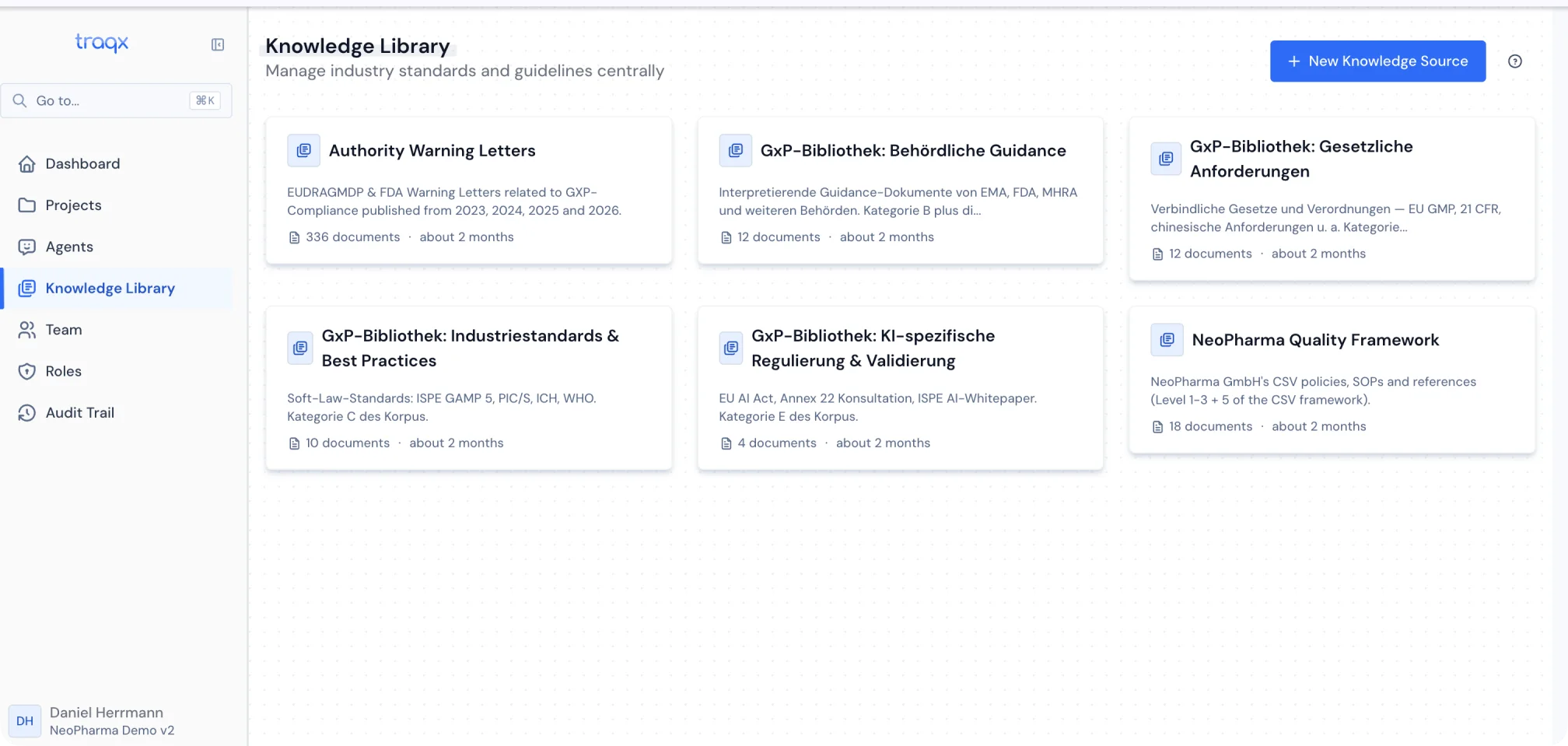
Sources, templates and work cases live in workspaces. You decide the cut — by project, process or customer — and who accesses what.
Set-up source space in the traqx Knowledge Library

03 · CONTROLRoles carry the responsibility

Create, review, decide, read: roles map your quality responsibilities. The usage and quota overview keeps consumption in view.
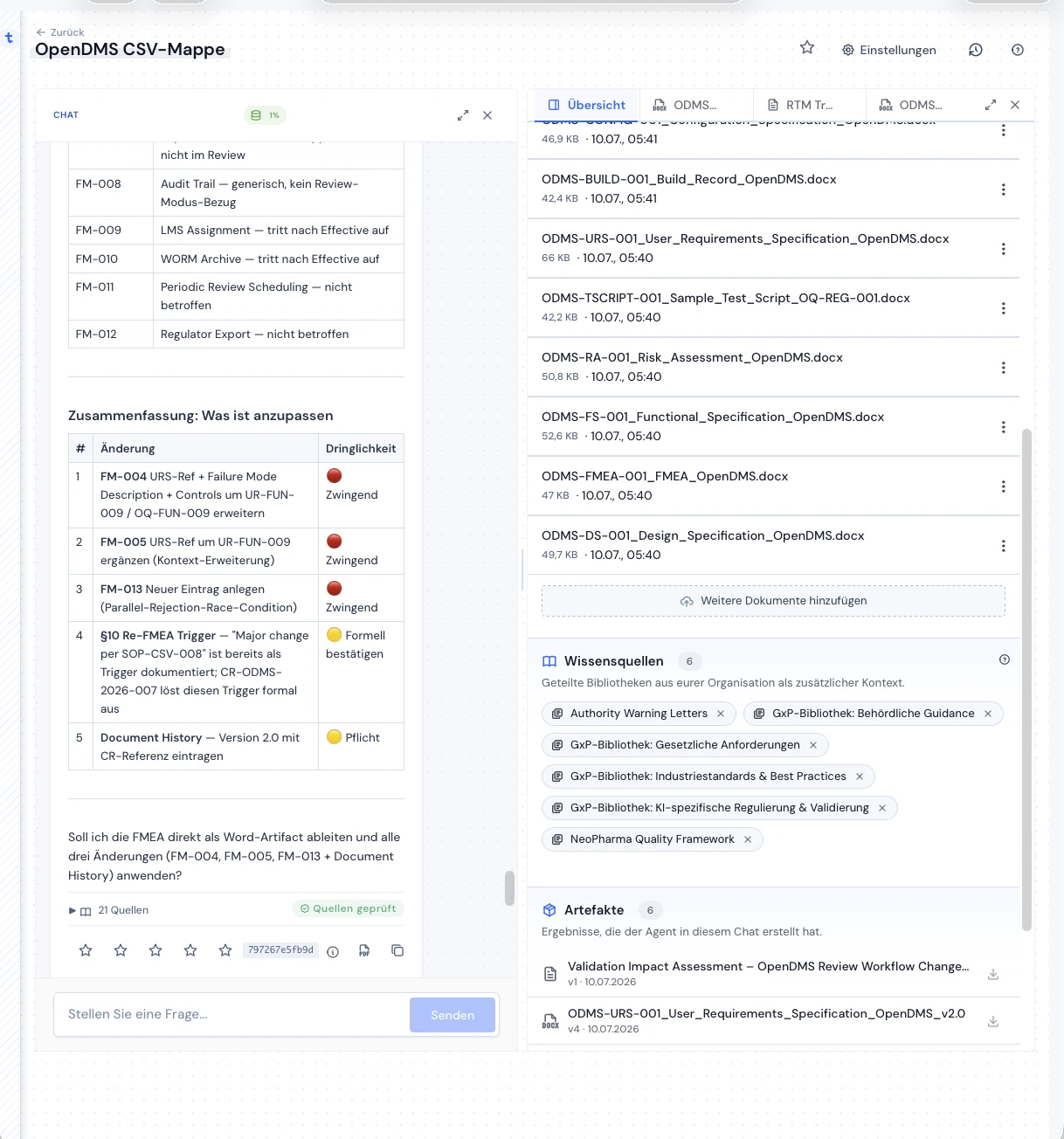
traqx binder with source documents, knowledge sources and artifacts — synthetic demo project

FAQ

Common questions about this feature

How do new users get into traqx?

By e-mail invitation from within the system. The new user receives a personal login; licences are personal and transferable when staff changes.

How flexible are the workspaces?

You decide the cut: one workspace per validation project, per process or per client. Source space, templates and work cases belong to the workspace.

Can we control rights precisely enough?

Yes — through roles: who drafts, who reviews, who manages sources and templates, who only reads. The professional decision always stays with the named experts of your team.

ON YOUR OWN CASE

See your structure in traqx.

In the personal live demo we set up your cut as an example — workspaces, roles and the first work case.

Book your personal live demo 

No obligation · personal · straight in the calendar

More features: All features →